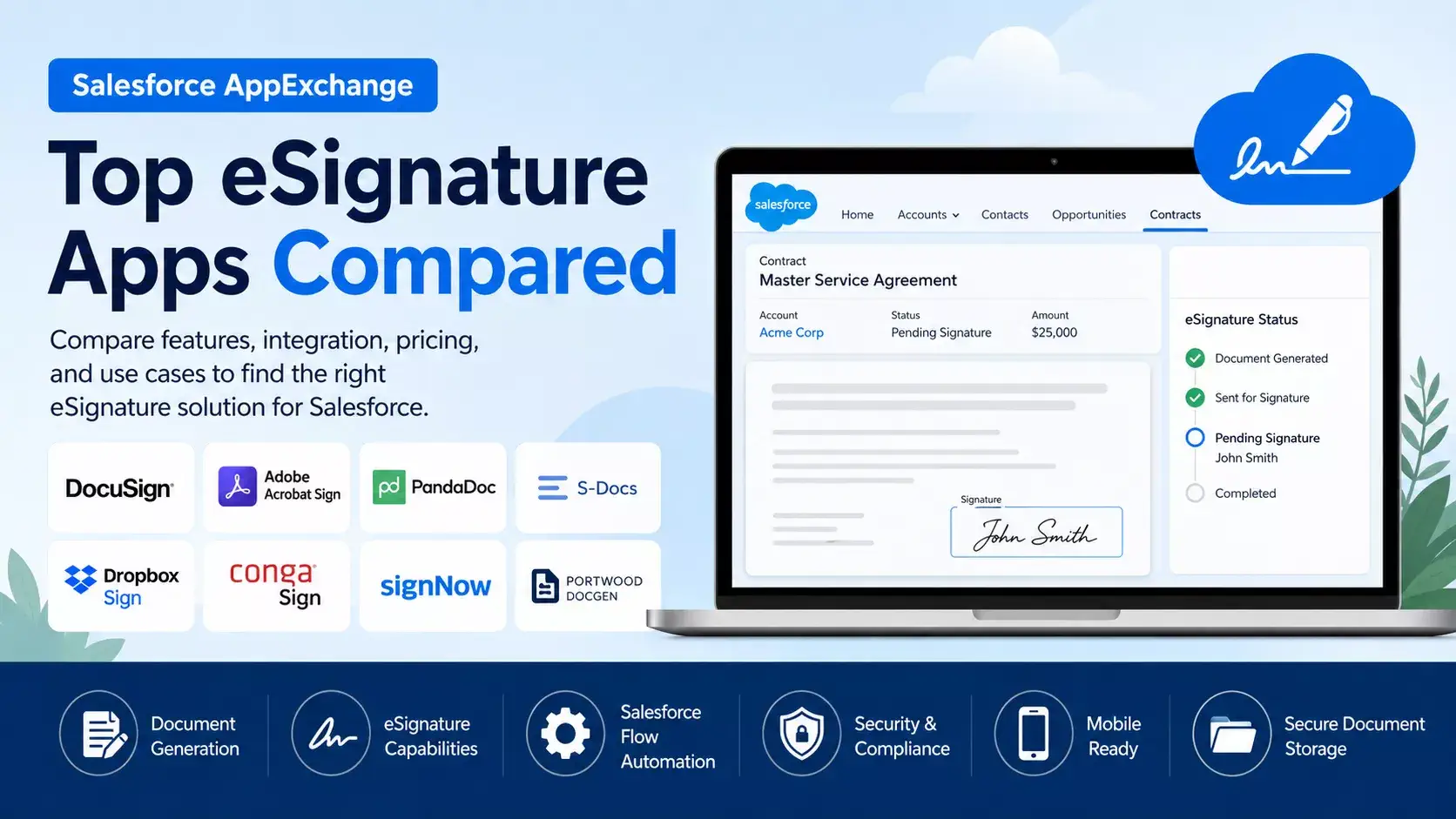
Choosing the right digital signature solution can make Salesforce document processes faster and easier. Instead of downloading documents, sending them manually, and tracking signatures through emails, businesses can manage the complete signing process directly from Salesforce. This post will compare top Salesforce AppExchange apps for digital signature and eSignature.
What is a digital signature?
A digital signature is a secure way to verify that a digital document, message, or transaction is authentic and has not been changed after signing.
It uses cryptographic technology to connect the signer with the document. A digital signature can help verify:
- Who signed the document
- Whether the document changed after signing
- When the document was signed
- Whether the signature is valid
For example, when a customer signs a contract digitally, the system can create a secure record of the signing activity. If someone changes the document later, the digital signature may become invalid or show that the document was modified.
Why Is a Digital Signature Required?
Businesses use digital signatures to make document signing faster, more secure, and easier to track.
- Faster Document Signing
- Better Security
- Verify the Signer
- Create an Audit Trail
- Reduce Paperwork
- Improve Business Automation
Digital Signature vs eSignature
These terms are often used together, but they are not always the same.
| eSignature | Digital Signature |
|---|---|
| Electronic method of showing agreement or intent to sign | Uses cryptographic technology to secure and verify a signature |
| Can include typed names, drawn signatures, or click-to-sign | Typically uses cryptographic keys and certificates |
| Focuses on the signing experience and consent | Focuses on authentication, integrity, and security |
| Common for everyday contracts and agreements | Often used when stronger identity and document integrity controls are required |
Salesforce Apps for eSignature
Today, the Salesforce AppExchange offers several eSignature and digital signature solutions. Some apps focus mainly on collecting electronic signatures, while others also provide document generation, contract management, CPQ integration, workflow automation, and API capabilities.
In this comparison, we review popular Salesforce eSignature solutions, including DocuSign, Adobe Acrobat Sign, PandaDoc, S-Docs, Dropbox Sign, Conga Sign, signNow, and Portwood DocGen.
We compare these apps based on Salesforce integration, architecture, document generation, eSignature features, Flow automation, Apex and API support, templates, bulk sending, mobile access, document storage, CPQ integration, contract lifecycle management, security, pricing, AppExchange adoption, and their best use cases.
This comparison will help Salesforce admins, developers, architects, and business teams understand the strengths of each solution and choose the right app for their Salesforce implementation.
Similar AppExchange Post: Top 10 Salesforce AppExchange Apps to Boost Productivity
Top Salesforce AppExchange Apps for Digital Signature
1. DocuSign eSignature for Salesforce — Best Overall
Why it ranks #1: DocuSign has the strongest combination of AppExchange adoption, Salesforce integration maturity, and broad eSignature functionality. Salesforce’s AppExchange describes it as its most downloaded electronic signature app, with 4,647 ratings in the indexed marketplace results and a release date of May 22, 2026.
Key capabilities
- Send documents for signature from Salesforce
- Track signature status
- Save completed agreements back to Salesforce
- Mobile signing support
- Templates and reusable workflows
- Strong enterprise ecosystem
- Suitable for complex agreement processes
Best for
Enterprise Salesforce implementations, Sales Cloud, Service Cloud, high-volume agreement workflows, and organizations needing a mature eSignature platform.
Potential drawbacks
- Licensing can become expensive
- Advanced implementations may require specialist configuration
- Some organizations may find it excessive for simple signing requirements
Our rating: ⭐⭐⭐⭐⭐ — Best overall Salesforce eSignature solution
2. Adobe Acrobat Sign eSignatures for Salesforce — Best for PDF & Adobe Ecosystems
Adobe Acrobat Sign is another major enterprise player. The AppExchange listing shows 3,200 ratings, Salesforce integration for creating, sending, signing, tracking, and filing agreements, and a release dated June 15, 2026.
Key capabilities
- Salesforce-native workflow integration
- PDF-centric document experience
- Create and send agreements from Salesforce
- Track agreement status
- Store signed documents and agreement information
- Strong fit for organizations already using Adobe document products
Best for
Organizations heavily invested in Adobe Acrobat, PDF workflows, and enterprise document management.
Potential drawback
The best value proposition usually comes when the company already has a significant Adobe ecosystem.
Our rating: ⭐⭐⭐⭐⭐ — Best Adobe/PDF ecosystem choice
3. PandaDoc for Salesforce — Best for Sales Documents
PandaDoc goes beyond pure eSignature. Its primary strength is combining document creation, proposals, quotes, approvals, and eSignature workflows.
The AppExchange marketplace currently shows PandaDoc among popular Salesforce applications with 175 ratings. G2’s Salesforce AppExchange eSignature category also identifies PandaDoc as a defining product in this space, showing a 4.7/5 rating from 3,611 reviews on G2 as of its July 2026 refresh.
Key capabilities
- Proposal generation
- Quotes and sales documents
- Templates
- Content management
- eSignature
- Document tracking
- Salesforce data integration
Best for
Sales teams where the process is:
Salesforce Opportunity → Generate Proposal → Send → Track → Sign
Potential drawback
If you need only a basic signature solution, PandaDoc may provide more functionality than required.
Our rating: ⭐⭐⭐⭐⭐ — Best for sales proposals and quotes
4. S-Docs — Best Salesforce-Native Alternative
S-Docs is particularly interesting for Salesforce customers who want to minimize dependence on external document-generation infrastructure.
The AppExchange listing positions it as a native document generation and eSignature solution, supporting PDF, Word, Excel, email, and forms. It had 462 ratings in the indexed AppExchange results, with a February 2026 release listed.
Key capabilities
- Salesforce-native document generation
- eSignature capture
- PDF generation
- Word and Excel document support
- Email and forms
- Strong fit for Salesforce-centric architectures
Best for
Organizations asking:
“Can we keep document generation and signing as close to Salesforce as possible?”
Potential drawback
For highly complex global enterprise signature requirements, compare its compliance, integration ecosystem, and advanced agreement features carefully against DocuSign and Adobe.
Our rating: ⭐⭐⭐⭐½ — Best native-focused option
5. Dropbox Sign — Best for Simple Workflows
Dropbox Sign, formerly HelloSign, is positioned on AppExchange as a straightforward solution to create, send, track, eSign, and save contracts without leaving Salesforce. The indexed AppExchange result shows 27 ratings and Salesforce support from Essentials upward.
Best for
- SMBs
- Simple contracts
- Basic approval/signing workflows
- Teams prioritizing ease of use
Potential drawback
Its Salesforce ecosystem footprint appears significantly smaller than DocuSign and Adobe based on AppExchange review volume.
Our rating: ⭐⭐⭐⭐ — Best for straightforward eSignature needs
6. Conga Sign — Best for Conga Customers
Conga Sign should be strongly considered if an organization already uses the Conga ecosystem for document generation, CPQ, contracts, or CLM.
G2’s Salesforce AppExchange eSignature category identifies Conga Sign as a Salesforce-focused eSignature option and describes it as enterprise-grade, integrated, customizable, and compliant.
Best for
- Existing Conga customers
- Contract-heavy organizations
- CPQ + document generation + agreement processes
Important note
I would not automatically select Conga Sign solely because Conga is well known. Its strongest case is when there is already a Conga ecosystem investment.
Our rating: ⭐⭐⭐⭐ — Best ecosystem choice for Conga users
7. signNow — Strong Value Option
signNow is worth including in a competitive evaluation, especially for SMB and mid-market customers.
G2’s current Salesforce AppExchange eSignature category shows 4.6/5 from 1,765 reviews and positions signNow as an intuitive electronic signature solution with a strong value proposition for SMB and mid-market businesses.
Best for
- Cost-sensitive organizations
- SMB and mid-market
- Mobile and straightforward signing scenarios
What to validate
Before choosing it for a Salesforce implementation, I would specifically validate:
- Depth of the current AppExchange package
- Salesforce automation capabilities
- Flow support
- Document lifecycle management
- Reporting and status synchronization
Our rating: ⭐⭐⭐⭐ — Strong value contender
8. Portwood DocGen — Interesting New Native Option
Portwood is a newer option visible on AppExchange. Its listing describes a solution for generating Word and PDF documents directly in Salesforce, using merge tags, bulk generation, Flow automation, QR codes, and a 100% native architecture with no external services. The indexed listing showed 7 ratings and a July 14, 2026 release.
Best for
- Organizations wanting a native approach
- Teams exploring lower-complexity or newer alternatives
- Flow-driven document automation
Caution
Because its AppExchange review volume is much smaller than established leaders, I would run a proof of concept before selecting it for a mission-critical enterprise implementation.
Our rating: ⭐⭐⭐½ — Promising option to watch
Feature-by-feature comparison
1. Salesforce Integration
| App | Salesforce Integration | Assessment |
|---|---|---|
| DocuSign | Excellent, mature AppExchange integration | ⭐⭐⭐⭐⭐ |
| Adobe Acrobat Sign | Deep embedded Salesforce integration | ⭐⭐⭐⭐⭐ |
| PandaDoc | Strong two-way document and data workflow | ⭐⭐⭐⭐⭐ |
| S-Docs | Strong Salesforce-centric integration | ⭐⭐⭐⭐⭐ |
| Dropbox Sign | Good for core create, send, track and save workflows | ⭐⭐⭐⭐ |
| Conga Sign | Strongest when combined with Conga/Salesforce ecosystem | ⭐⭐⭐⭐½ |
| signNow | Good integration, but less Salesforce ecosystem depth | ⭐⭐⭐⭐ |
| Portwood DocGen | 100% native Salesforce architecture | ⭐⭐⭐⭐⭐ |
Winner:
DocuSign / Adobe Acrobat Sign / S-Docs / Portwood, depending on what you mean by “best.”
- Best enterprise integration: DocuSign
- Best embedded workflow: Adobe Acrobat Sign
- Most native architecture: Portwood
- Strong Salesforce document-centric approach: S-Docs
2. Native vs External Architecture
| App | Architecture | Assessment |
|---|---|---|
| DocuSign | External platform integrated with Salesforce | ⭐⭐⭐⭐½ |
| Adobe Acrobat Sign | External Adobe cloud service integrated with Salesforce | ⭐⭐⭐⭐½ |
| PandaDoc | External SaaS platform integrated with Salesforce | ⭐⭐⭐⭐½ |
| S-Docs | Primarily Salesforce-native document-generation approach | ⭐⭐⭐⭐ |
| Dropbox Sign | External SaaS platform | ⭐⭐⭐⭐ |
| Conga Sign | External/connected service within the broader Conga ecosystem | ⭐⭐⭐⭐ |
| signNow | External SaaS platform | ⭐⭐⭐⭐ |
| Portwood DocGen | 100% Salesforce native; no external services | ⭐⭐⭐⭐⭐ |
Winner: Portwood
Portwood explicitly states that document generation and automation are 100% native with no external services. Its AppExchange listing also highlights direct Salesforce document generation and Flow automation
3. Document Generation
| App | Document Generation |
|---|---|
| DocuSign | ⭐⭐⭐⭐ — Strong, especially with DocuSign Gen |
| Adobe Acrobat Sign | ⭐⭐⭐⭐⭐ — Document Builder + Salesforce data |
| PandaDoc | ⭐⭐⭐⭐⭐ — Major strength |
| S-Docs | ⭐⭐⭐⭐⭐ — Core strength |
| Dropbox Sign | ⭐⭐⭐ — Primarily signing-focused |
| Conga Sign | ⭐⭐⭐⭐⭐* — Strong with Conga Composer/ecosystem |
| signNow | ⭐⭐⭐ — Basic document preparation/templates |
| Portwood DocGen | ⭐⭐⭐⭐⭐ — Word/PDF generation directly in Salesforce |
Winners: PandaDoc, S-Docs, Adobe Acrobat Sign, Portwood and Conga ecosystem
4. eSignature Capabilities
| App | eSignature Capability |
|---|---|
| DocuSign | ⭐⭐⭐⭐⭐ |
| Adobe Acrobat Sign | ⭐⭐⭐⭐⭐ |
| PandaDoc | ⭐⭐⭐⭐⭐ |
| S-Docs | ⭐⭐⭐⭐ |
| Dropbox Sign | ⭐⭐⭐⭐½ |
| Conga Sign | ⭐⭐⭐⭐½ |
| signNow | ⭐⭐⭐⭐½ |
| Portwood DocGen | ⭐⭐⭐½–⭐⭐⭐⭐ |
Winners: DocuSign / Adobe Acrobat Sign
5. Salesforce Flow Automation
| App | Flow Automation |
|---|---|
| DocuSign | ⭐⭐⭐⭐⭐ |
| Adobe Acrobat Sign | ⭐⭐⭐⭐⭐ |
| PandaDoc | ⭐⭐⭐⭐ |
| S-Docs | ⭐⭐⭐⭐⭐ |
| Dropbox Sign | ⭐⭐⭐⭐ |
| Conga Sign | ⭐⭐⭐⭐½ |
| signNow | ⭐⭐⭐⭐ |
| Portwood DocGen | ⭐⭐⭐⭐⭐ |
Winners: Portwood, DocuSign, Adobe Acrobat Sign and S-Docs
6. Apex/API Integration
| App | API/Apex Integration |
|---|---|
| DocuSign | ⭐⭐⭐⭐⭐ |
| Adobe Acrobat Sign | ⭐⭐⭐⭐⭐ |
| PandaDoc | ⭐⭐⭐⭐⭐ |
| S-Docs | ⭐⭐⭐⭐½ |
| Dropbox Sign | ⭐⭐⭐⭐½ |
| Conga Sign | ⭐⭐⭐⭐½ |
| signNow | ⭐⭐⭐⭐⭐ |
| Portwood DocGen | ⭐⭐⭐⭐ |
Winners: DocuSign, Adobe, PandaDoc and signNow
7. Templates
| App | Templates |
|---|---|
| DocuSign | ⭐⭐⭐⭐⭐ |
| Adobe Acrobat Sign | ⭐⭐⭐⭐⭐ |
| PandaDoc | ⭐⭐⭐⭐⭐ |
| S-Docs | ⭐⭐⭐⭐⭐ |
| Dropbox Sign | ⭐⭐⭐⭐½ |
| Conga Sign | ⭐⭐⭐⭐⭐* |
| signNow | ⭐⭐⭐⭐½ |
| Portwood DocGen | ⭐⭐⭐⭐½ |
Best choices
- Best signing templates: DocuSign
- Best dynamic sales documents: PandaDoc
- Best Salesforce data-driven templates: Adobe/S-Docs
- Best complex document ecosystem: Conga
8. Bulk Sending
| App | Bulk Sending |
|---|---|
| DocuSign | ⭐⭐⭐⭐⭐ |
| Adobe Acrobat Sign | ⭐⭐⭐⭐⭐ |
| PandaDoc | ⭐⭐⭐⭐½ |
| S-Docs | ⭐⭐⭐⭐ |
| Dropbox Sign | ⭐⭐⭐⭐ |
| Conga Sign | ⭐⭐⭐⭐½ |
| signNow | ⭐⭐⭐⭐½ |
| Portwood DocGen | ⭐⭐⭐⭐½ |
Winner: DocuSign / Adobe
9. Security and Compliance
| App | Security/Compliance Position |
|---|---|
| DocuSign | ⭐⭐⭐⭐⭐ |
| Adobe Acrobat Sign | ⭐⭐⭐⭐⭐ |
| PandaDoc | ⭐⭐⭐⭐½ |
| S-Docs | ⭐⭐⭐⭐½ |
| Dropbox Sign | ⭐⭐⭐⭐½ |
| Conga Sign | ⭐⭐⭐⭐⭐ |
| signNow | ⭐⭐⭐⭐½ |
| Portwood DocGen | ⭐⭐⭐⭐* |
Leaders: DocuSign / Adobe / Conga
10. Document Storage
| App | Salesforce Document Storage |
|---|---|
| DocuSign | ⭐⭐⭐⭐⭐ |
| Adobe Acrobat Sign | ⭐⭐⭐⭐⭐ |
| PandaDoc | ⭐⭐⭐⭐½ |
| S-Docs | ⭐⭐⭐⭐⭐ |
| Dropbox Sign | ⭐⭐⭐⭐½ |
| Conga Sign | ⭐⭐⭐⭐⭐ |
| signNow | ⭐⭐⭐⭐ |
| Portwood DocGen | ⭐⭐⭐⭐⭐ |
Winners: Native-focused options + enterprise integrations
Adobe can track and file agreements and provide access to saved contracts from Salesforce objects. DocuSign’s AppExchange listing emphasizes sending, signing, tracking, and saving agreements in Salesforce.
Our Recommended Shortlist by Use Case
| Your Requirement | Recommended App |
|---|---|
| Best overall | DocuSign |
| Largest Salesforce adoption | DocuSign |
| Best for Adobe customers | Adobe Acrobat Sign |
| Best for sales proposals | PandaDoc |
| Best Salesforce-native approach | S-Docs |
| Best for existing Conga customers | Conga Sign |
| Best simple SMB workflow | Dropbox Sign |
| Best value option to evaluate | signNow |
| Interesting newer native alternative | Portwood DocGen |
Our Final Recommendation by Category
| Category | Recommended Solution | Why It Stands Out |
|---|---|---|
| Best Overall | DocuSign | Offers a mature Salesforce integration, strong eSignature features, enterprise capabilities, and high AppExchange adoption. |
| Best Salesforce + PDF Workflow | Adobe Acrobat Sign | Works well for businesses that use Adobe products and need strong PDF and document signing workflows. |
| Best Sales & CPQ Workflow | PandaDoc | Combines document generation, proposals, quotes, CPQ capabilities, and eSignature workflows. |
| Best Salesforce-Native Approach | S-Docs / Portwood | Focuses on Salesforce-native document generation and automation with minimal or no external infrastructure. |
| Best Enterprise CLM Ecosystem | DocuSign / Conga | Provides broader contract and agreement management capabilities beyond basic eSignature workflows. |
| Best for Existing Conga Customers | Conga Sign | Fits naturally with organizations already using Conga products such as Composer, CPQ, or CLM. |
| Best Budget/Mainstream Option | Dropbox Sign | Provides a simpler eSignature experience that can suit businesses with straightforward signing requirements. |
| Best Value Platform to Evaluate | signNow | Offers a competitive eSignature platform that is worth evaluating for value, usability, and API capabilities. |
| Best Free Option | Portwood DocGen | Provides a free, Salesforce-native approach to document generation and automation. |
| Highest AppExchange Adoption | DocuSign | Has the strongest adoption and one of the largest review footprints among Salesforce eSignature applications. |
| Strongest Enterprise Security Evaluation | DocuSign / Adobe Acrobat Sign / Conga | These platforms are strong candidates for organizations that need to evaluate advanced enterprise security, compliance, and agreement controls. |
Summary
Salesforce AppExchange offers several strong digital signature and eSignature solutions. Each product targets different business needs, so there is no single solution that fits every organization.
DocuSign is the best overall choice for enterprise Salesforce implementations. Adobe Acrobat Sign works well for businesses that already use Adobe and rely heavily on PDF documents. PandaDoc is a strong option for sales teams that need proposals, CPQ, document generation, and eSignatures in one workflow.
For organizations that prefer a Salesforce-native approach, S-Docs and Portwood DocGen are worth considering. Conga Sign is a natural choice for existing Conga customers, especially those using Conga for CPQ or contract management. Dropbox Sign and signNow can be good options for simpler or more cost-conscious requirements.
When choosing an eSignature app, businesses should look beyond the signature feature. They should also consider Salesforce integration, document generation, Flow automation, APIs, templates, bulk sending, mobile support, document storage, CPQ, contract management, security, pricing, and AppExchange adoption.
The right solution depends on the organization’s business process, Salesforce architecture, security requirements, budget, and expected document volume. A proof of concept can help confirm which solution works best before making a final decision.
Related Posts
- Top 10 Salesforce AppExchange Apps to Boost Productivity
- Top 10 Salesforce CRM Trends to Watch in 2025
- 10 Salesforce Chrome Extensions to Boost Your Productivity
- Top 10 AI Tools to Automate Customer Service
- Top 10 Free Telephony Tools for CRM Applications
- Top 5 API Mocking Tools for CRM
